Loading...
Please wait while we prepare your content
Please wait while we prepare your content
Empower your workforce with specialised assistive technology skills and the tools to create professional content. Access over 5,000 concise learning elements designed for modern, inclusive workplaces. We also provide expert media creation services for custom training videos.
Trusted by 20,000+ users worldwide
Supported Platforms


These are real screens from the platform your staff, students or clients will use.
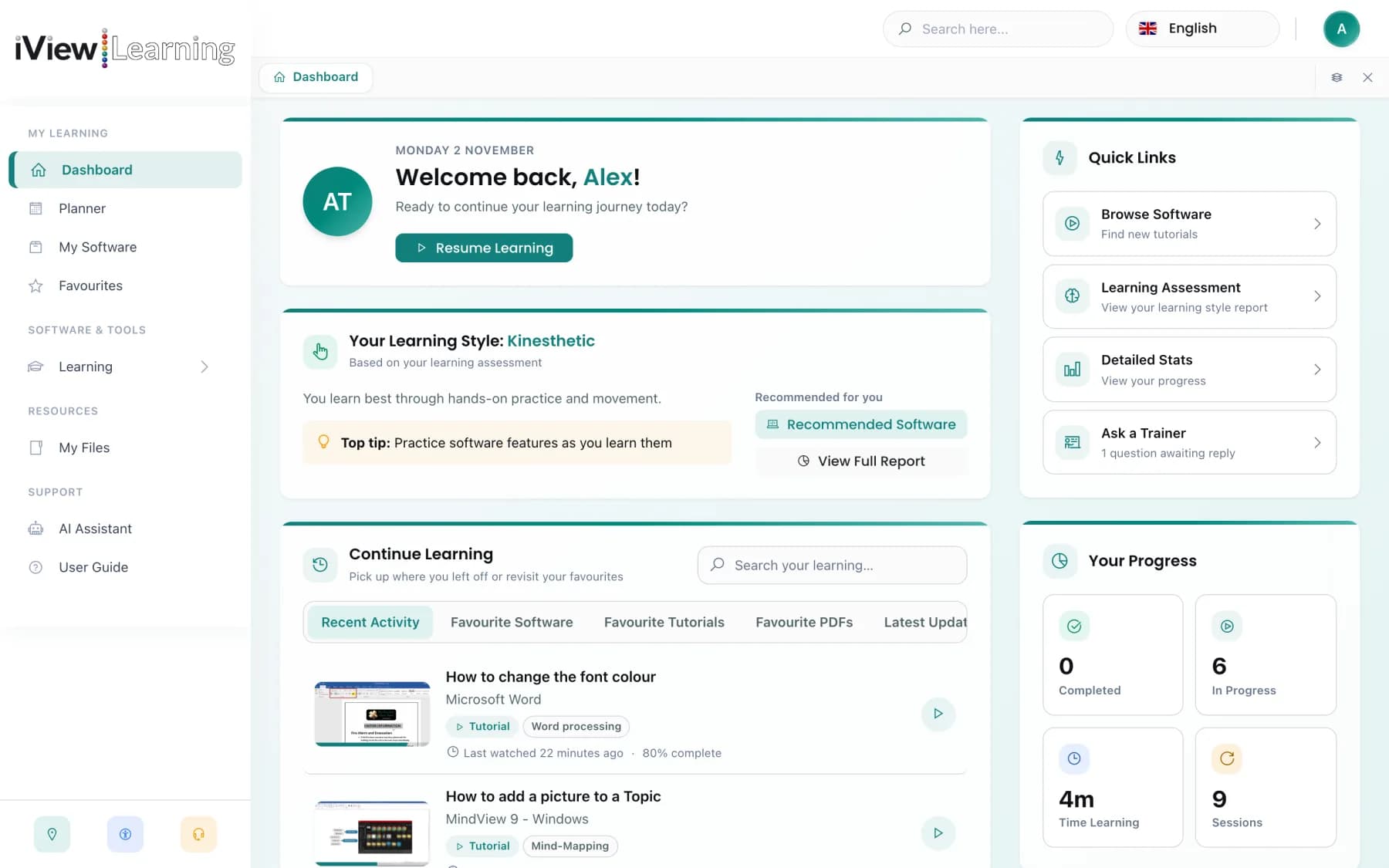
Pick up where you left off, see your favourite tutorials and get quick access to support from the moment you sign in.
Ask the iView Assistant how to do something in the software you use, and it will point you to the right tutorial or talk you through the steps. It knows which tools you have, so its answers fit your setup.
Always active • Profile: Visual Learner
I see you have Read&Write assigned to your account.
To check spelling, click the Check It icon on your toolbar. It looks like a tick with 'abc' under it.
Short video tutorials, expert help and progress tracking for the assistive software you, your staff or your students already use.
Short tutorials of around 90 seconds, each with a downloadable PDF guide, covering Dragon, Glean, Read&Write and many more. New videos are added every week, alongside mindfulness and wellbeing content.
Stuck on a step? Send a question to a qualified assistive technology trainer straight from the tutorial, including the exact moment in the video.
Choose your software, pick a topic and ask. Get instant answers about the software you use, with clear formatting that is easy to read on any screen size.
Built to WCAG standards, with an expanded accessibility panel: high-contrast and dark modes, ten colour themes, readable fonts, a reading guide, text magnifier and more. Guided tours of every page come with optional voice-over.
Whether you've just been given new software at work or through your college or university, getting started only takes a few minutes.
Search for the tools you've been given, from Dragon and Read&Write to Microsoft 365, and see every tutorial in one place.
Each video covers a single task in around 90 seconds, so you can learn between meetings, shifts or lectures.
Put it straight into practice at your desk, in class or at home, and come back whenever you need a refresher.
The iView app puts every tutorial on your phone or tablet, so help is there in the office, on the move or at home. It comes free with your subscription.
All 5,000+ videos and courses, the same as on desktop.
Works with screen readers, high-contrast modes and larger text.
Download videos and watch them without an internet connection.
Three short examples from our library. Every video focuses on one task you can try straight away.


We work closely with software publishers, employers, colleges and assessors, and we add new content based on what our users ask for.

For assessors and trainers
Join our network of certified professionals. Get exclusive access to training materials, free licenses, and our dedicated Assessor Dashboard to streamline your workflow.
💼 Join 500+ certified professionals transforming assistive technology training
Book a short demo and we'll walk you through the tutorials for the tools your staff, students or clients use.
Whether you'd like a demo, need help with your account or have a question about licensing, we're happy to help.
Units 10 Ramsden Rd
Hereford HR2 6NT
01432 271 233
info@iviewlearning.com